
D-50196-Community-Bid Submission Sticks and Fails to Complete
Description
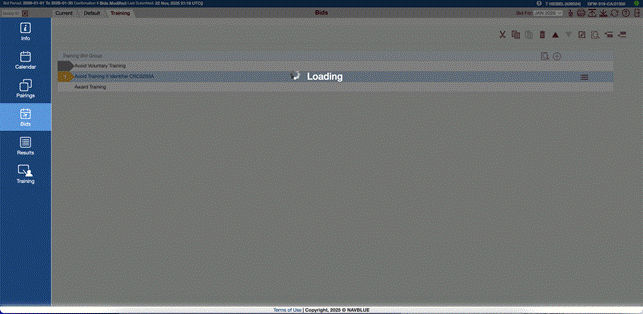
We have resolved an issue where some crew members experienced an indefinite loading screen when attempting to submit training bids.
The Fix: Users will no longer encounter a continuous loading icon after clicking Submit. Confirmation messages will now trigger immediately upon a successful submission.
Stability: This update ensures that complex or large bid profiles (including default bids) are processed correctly without timeouts, specifically addressing performance issues seen in the Production environment.
Resolution Details
We have updated how the system processes "FollowedBy" bid preferences to ensure better consistency across your bid lines. Single bid preferences within this section are now handled with the same logic as multiple preferences, providing a more reliable and uniform experience when building complex bid strings.
D-48874-Community-Some Pairing Filters Do Not Store Selected Values While Switching Between Tabs
Description
We have fixed an issue where certain date-related filters in the Preference Editor—specifically Pairing Check-In Time, Duty On, and Pairing Number Departing On—were not saving correctly. Previously, these selections could be lost when navigating between different tabs (such as switching to "Bids" and back). These filters will now correctly retain your selected days and date ranges throughout your session.
Resolution Details
Resolved: Consistency in Date and Time Filters
Time Zone Synchronization: We have updated the Pairing Check-In Time and Duty On filters to ensure higher accuracy. By standardizing all time-related calculations to UTC, we have eliminated errors caused by date format conversions, providing more reliable results regardless of your local settings.
Improved Navigation Persistence: We have enhanced the Pairing Number Departing On filter to now save your calendar selections. Your chosen dates will now remain active even when navigating between different tabs in the Preference Editor, preventing the need to re-enter data.
D-50690-Community-Pairing Number Check-In Date (Ordered) Setting Is Removed After Reopening Editor and Clicking Apply
Description
Persistence of "Ordered" Settings in Bidding We have fixed an issue where the Pairing Number Check-In Date (Ordered) bid would lose its "Ordered" status after being reapplied in the Preference Editor. Previously, the setting would reset even if no changes were made, requiring users to manually re-toggle the option. This setting will now correctly persist through multiple edits and applications.
Resolution Details
System Update: Enhanced Data Integrity
Improved Logic: Simplified the backend process for verifying the "Ordered" status on bids, ensuring more consistent behavior during the editing process.
Infrastructure Optimization: Standardized internal system naming conventions to improve long-term maintenance and reliability of the bidding platform.
D-50696-Community-Traditional Calendar View Shows Only February Month (Missing Bid-Period Carry-In/Carry-Out Days)
Description
Full Bid Period Visibility in Traditional Calendar We have updated the Traditional Calendar view to ensure it correctly displays the entire bid period, including carry-in dates from the previous month and carry-out dates into the following month. Previously, the view was limited to the standard calendar month, requiring manual navigation to see dates like January 31st for a February bid. The Traditional Calendar now automatically reflects the full range of the active bid period, providing a consistent experience across both the Traditional and Vertical calendar views.
Resolution Details
Smarter Calendar Ranges for Easier Bidding We’ve refined how the Traditional Calendar displays dates to make your bidding process more intuitive.
The Problem: Previously, the calendar only showed the strict calendar month, which could hide important bid dates that fell just outside that window.
The Solution: The calendar is now "bid-period aware." If the month you are viewing contains your active bid period, the calendar will automatically include all relevant dates from the start to the end of that period.
The Result: You get a complete picture of your bid period in a single view, while the familiar Sunday-to-Saturday layout remains intact for easy navigation.